Between January and March 2026, more than half of bulk product uploads resulted in partial errors — products that never reached the catalog due to data issues in the spreadsheet.
The fix required three steps: download the error report, correct it offline, and re-upload. On average, each seller repeated this cycle 3 times per month.
Over 80% of sellers downloaded the report — the intent to fix was there. But each retry meant wasted time, risk of new errors, and potential drop-off.
Allow sellers to fix errored products directly in the interface, without downloading or re-uploading.
With 40+ error codes and multiple states per product, static Figma screens would have been insufficient to validate real behavior. The decision was to build the functional prototype directly in code and use it as a true map of usage scenarios.
This changed the alignment dynamic: IT and Product validated interactions directly on the prototype, with no interpretation layers. The handoff followed the same logic — built together with developers and presented in Gherkin format to ensure precision in use cases.
Three artifacts, in sequence: the prototype as the source of truth, Figma as a visual reference for components not yet built, and the handoff as living documentation. Each one built from the previous.
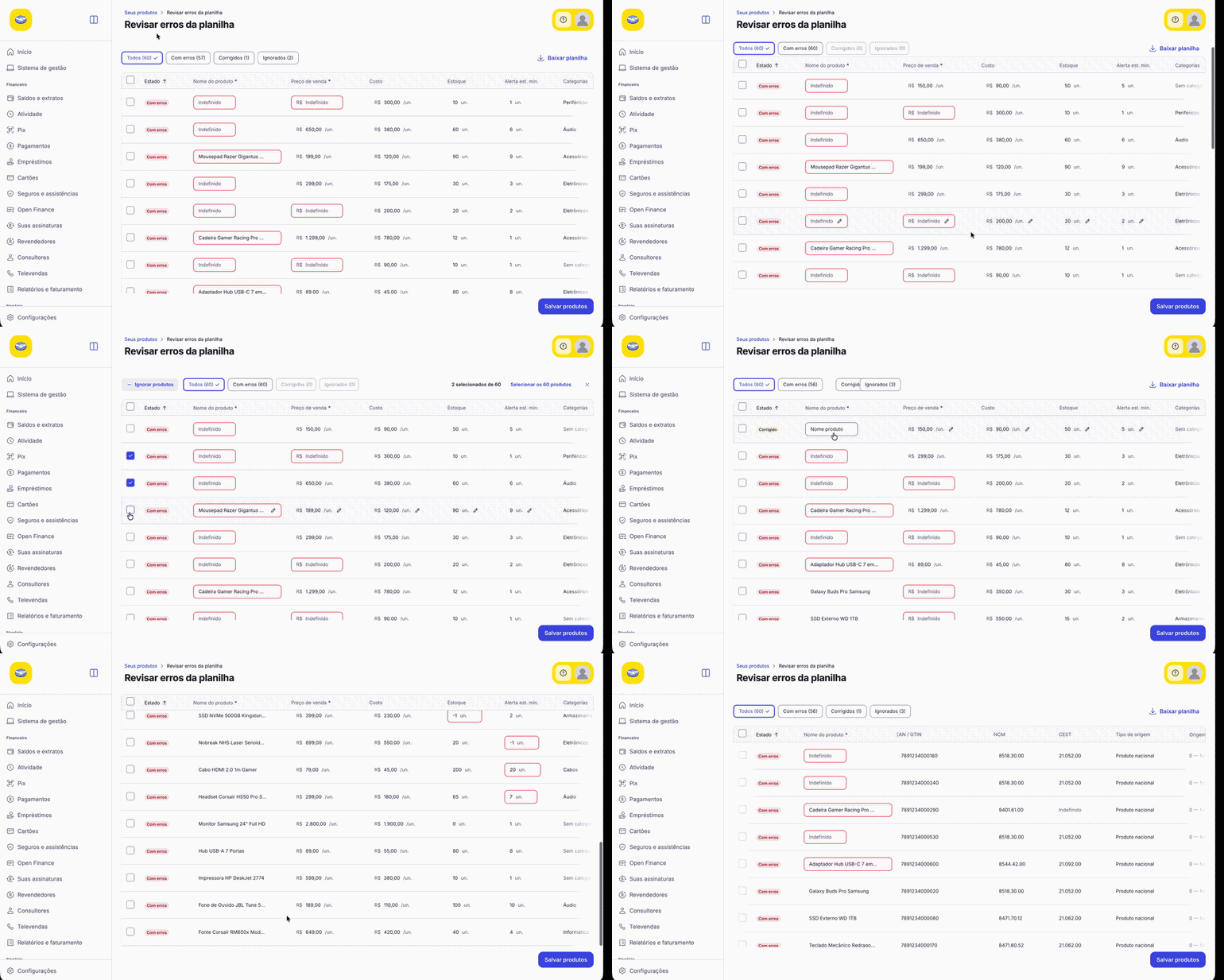
Functional in Claude Code
Source of truth for IT and Product alignment. Testable, navigable, with all states covered.
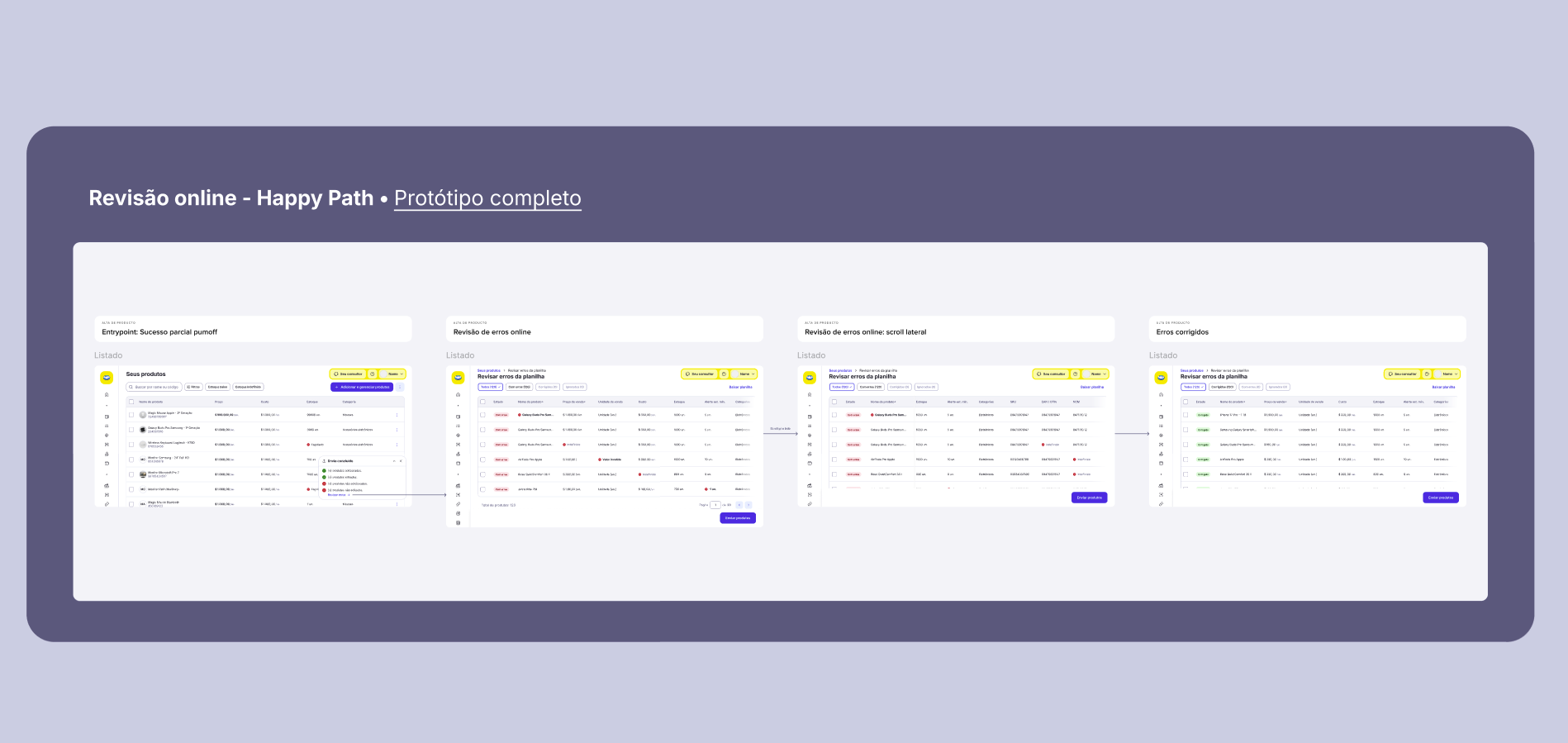
Visual reference for devs
Only for components not yet built. The prototype was the real handoff.
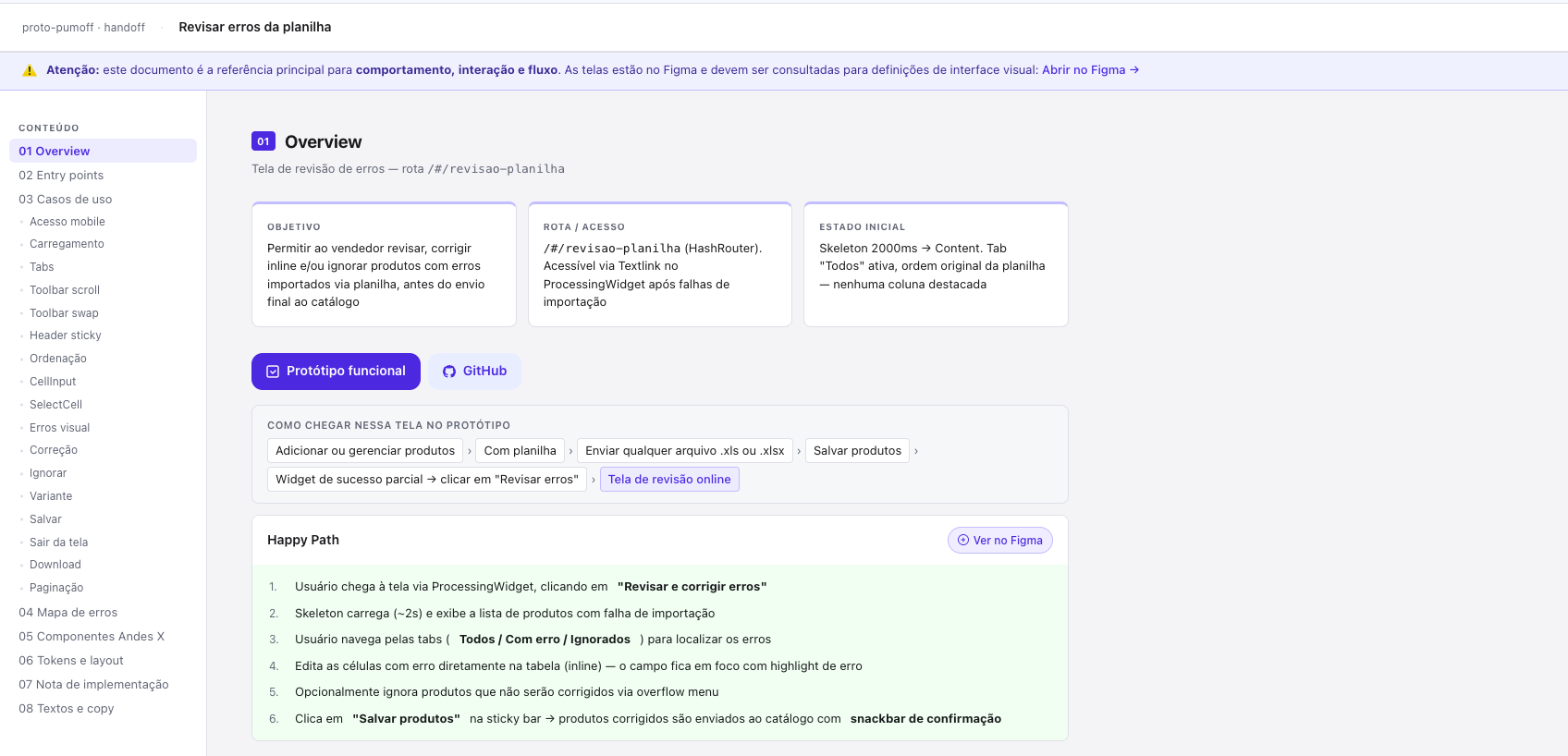
AI-generated documentation
Component GIFs, 40+ documented errors, Gherkin scenarios. From code, not screens.
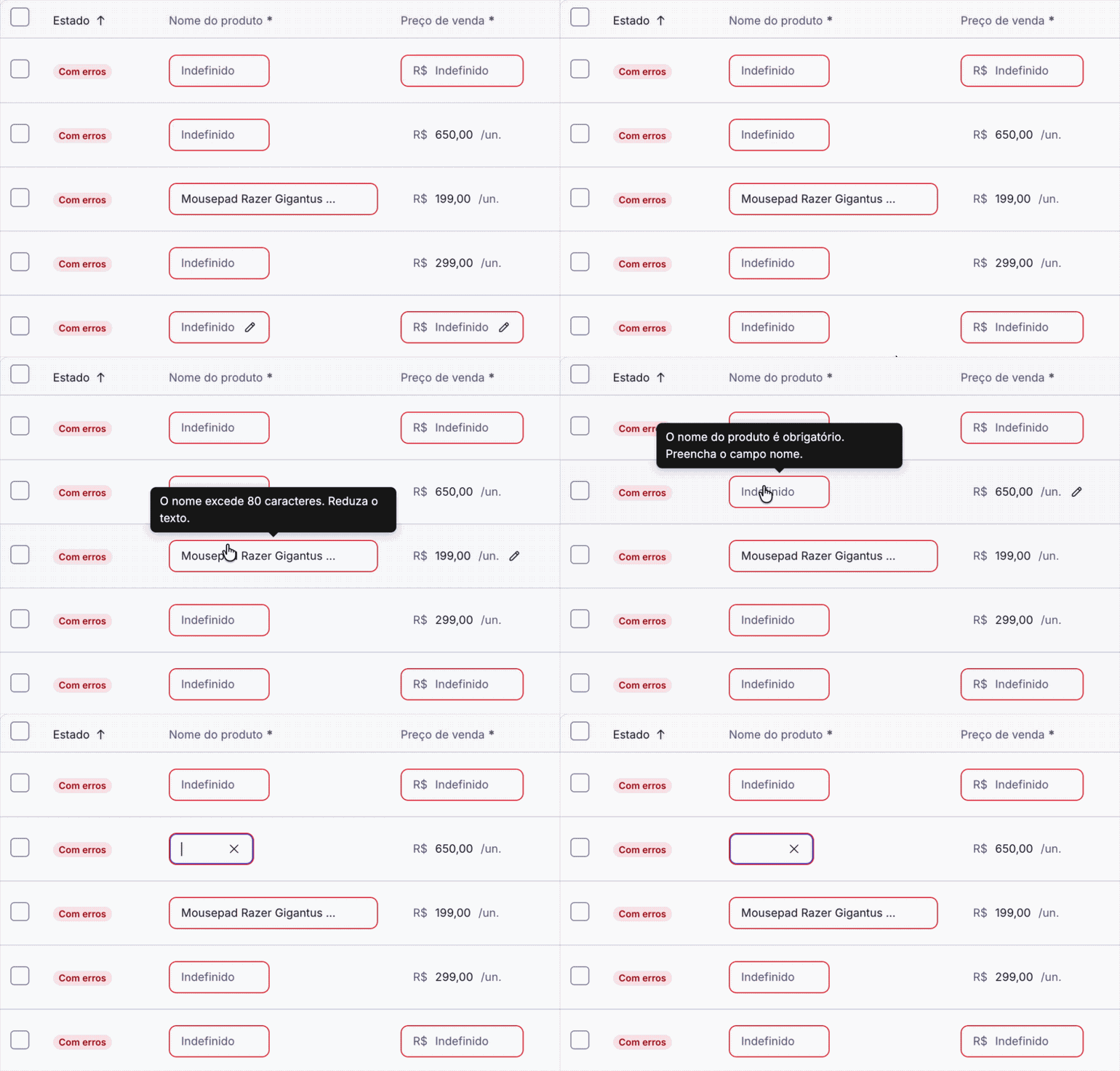
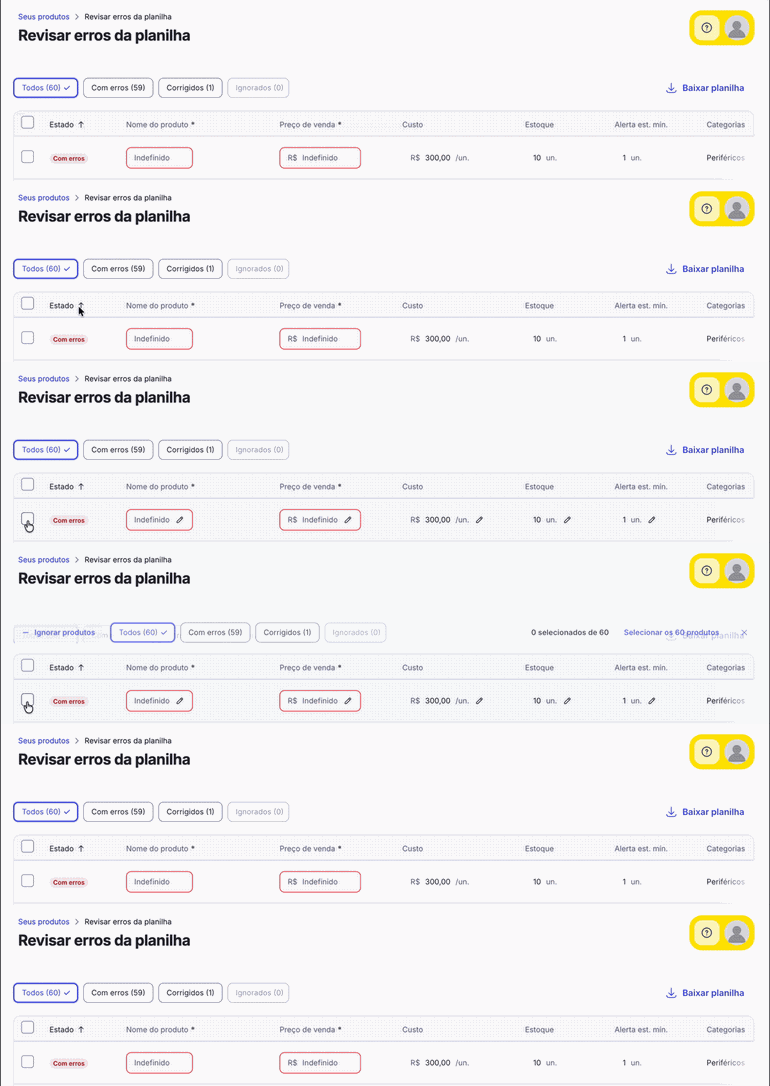
Instead of downloading an error file, fixing it offline, and re-uploading, the seller sees and corrects each errored product directly in the interface — field by field, with real-time validation. We simulated the new functionality using Claude Code, mapping all interactions and expected behaviors.
Error cell — tooltip with plain-language message
Inline editing — the seller edits the field directly in the table, without leaving the interface or re-uploading the full file.
Visual states — each row has a clear state: errored, corrected, or ignored. Transitions are animated to reinforce feedback.
Save only what was fixed — the system processes only corrected products, preserving those that already loaded successfully.
Ignore products — unfixable errors can be marked as ignored, with the option to revert before saving.
Explicit confirmation — if there are ignored products, the system shows a summary before saving. Conscious decision, no surprises.
Adaptive toolbar — the action bar switches when rows are selected, exposing contextual actions for the selection.
Adaptive toolbar — contextual actions by selection
Since some tokens and components had not yet been built by Claude, a supplementary file was needed for visual component reference. This way, the design system would be followed precisely, with no risk of element misinterpretation.
Figma file — visual reference for components not yet built
Happy path documented — main flow mapped with all expected states of the correction journey.
Additional use cases — variations and edge cases that complement the happy path, ensuring full coverage for implementation.
Differentiation annotations — points where Figma differs from the prototype explicitly marked, avoiding confusion during development.
The functional prototype was the artifact. The handoff was generated from it: GIFs captured directly from components, use cases mapped with Gherkin scenarios, and all 40+ error codes documented with their actions. No manual screenshots.
For devs, the result was more complete documentation than conventional — because it started from a working product, not static screens.
Building the project directly in code considerably accelerated the process. Given the high volume of flows and use cases, this approach provided a lot of speed at a point where Figma would have created friction. Alignment with IT and Product was done directly on the prototype, which made it much easier to demonstrate expected behavior. The project was placed in a GitHub repository and served as a starting point for devs when it was time to build.
After building the 100% functional prototype covering over 90% of use cases and error cases, it was possible to generate documentation almost automatically with Claude. This step was essential for cross-checking with the PRD and mapping use cases that might not be covered in the prototype, documenting them in the handoff. After finalizing the file, I created a skill to reproduce the process in other projects, with the goal of keeping structure and organization as a replicable standard for the team. The skill was used multiple times afterwards.
The handoff file became extremely heavy and, once finalized, new use cases that emerged during the devs' exploration could not be incorporated. The workaround was adding them manually in Figma — a step backwards in the process. For future versions, it is worth considering a modular structure or a per-flow handoff rather than one for the entire project.
At one point during implementation, the handoff link broke and all GIFs and images stopped loading. Devs were left without visual reference for practically all cases, relying solely on text descriptions. For next time: host assets in a stable location or include them directly in the project repository. For future versions, an organized folder with visual references should be maintained in case of this kind of incident.